
Download DrivePlan – Driving School Management, Student Progress Tracking, Lesson Scheduling
Overview
DrivePlan is a specialized software solution designed for driving schools, offering a unified system that integrates both a Windows-based application and mobile apps for students and instructors. The platform aims to streamline core operations such as student enrollment, lesson scheduling, progress tracking, and financial management. By centralizing these functions, DrivePlan reduces administrative overhead and enhances coordination between staff, students, and administrators. It is particularly suited for driving schools seeking to automate manual processes and improve data accuracy across departments.
Real-world use cases include managing large cohorts of students through structured lesson plans, monitoring individual student milestones, and generating real-time reports for compliance or internal review. The system supports collaborative workflows through multi-admin access, allowing different staff members to manage various aspects of the school without overlapping or conflicting updates. This is especially beneficial in institutions with multiple instructors or regional branches.
DrivePlan was developed with a focus on secure cloud-based storage and cross-platform synchronization, ensuring that data remains consistent and accessible across devices. Its release on August 19, 2024, marks a significant step toward digital transformation in driving education. The developer did not provide additional technical details about the company background or prior projects. However, the app’s architecture suggests a strong emphasis on reliability, data integrity, and user accessibility across both desktop and mobile environments.
Key Features & Functionality
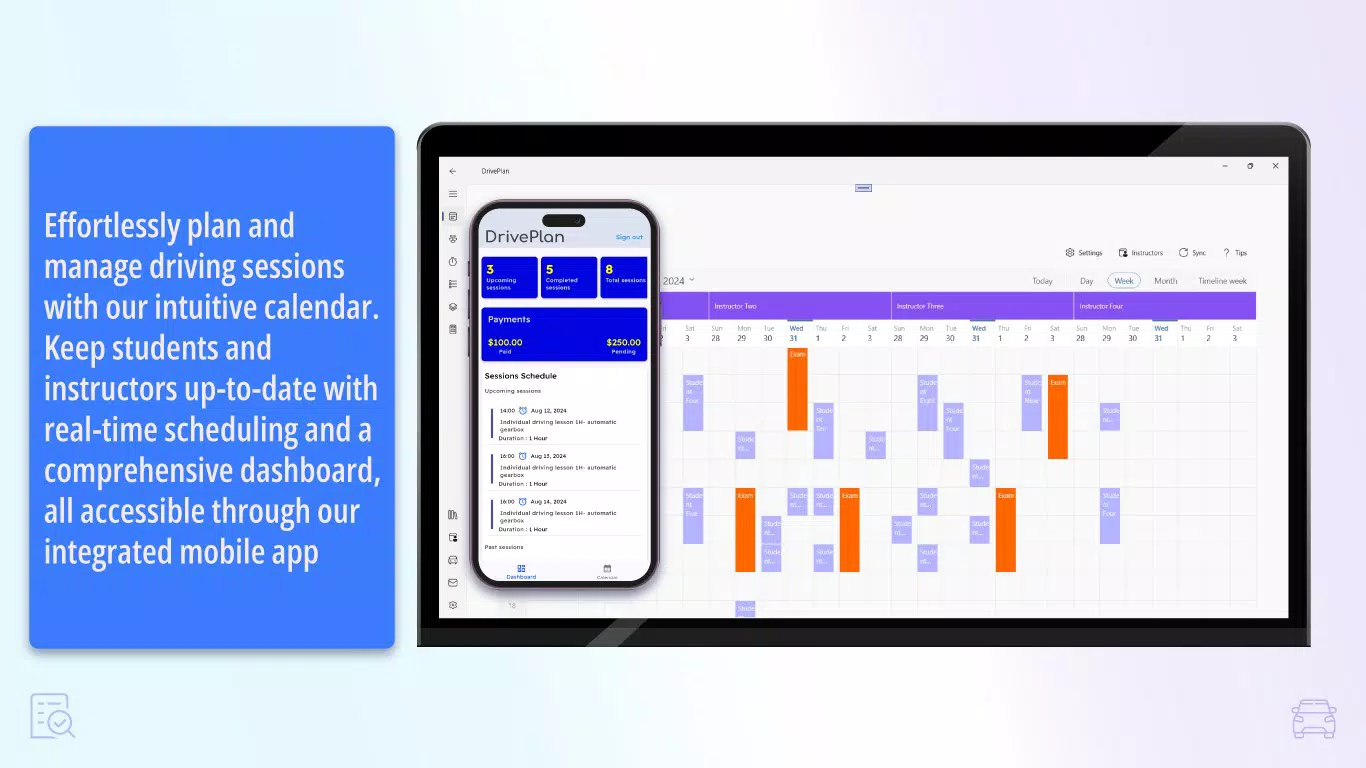
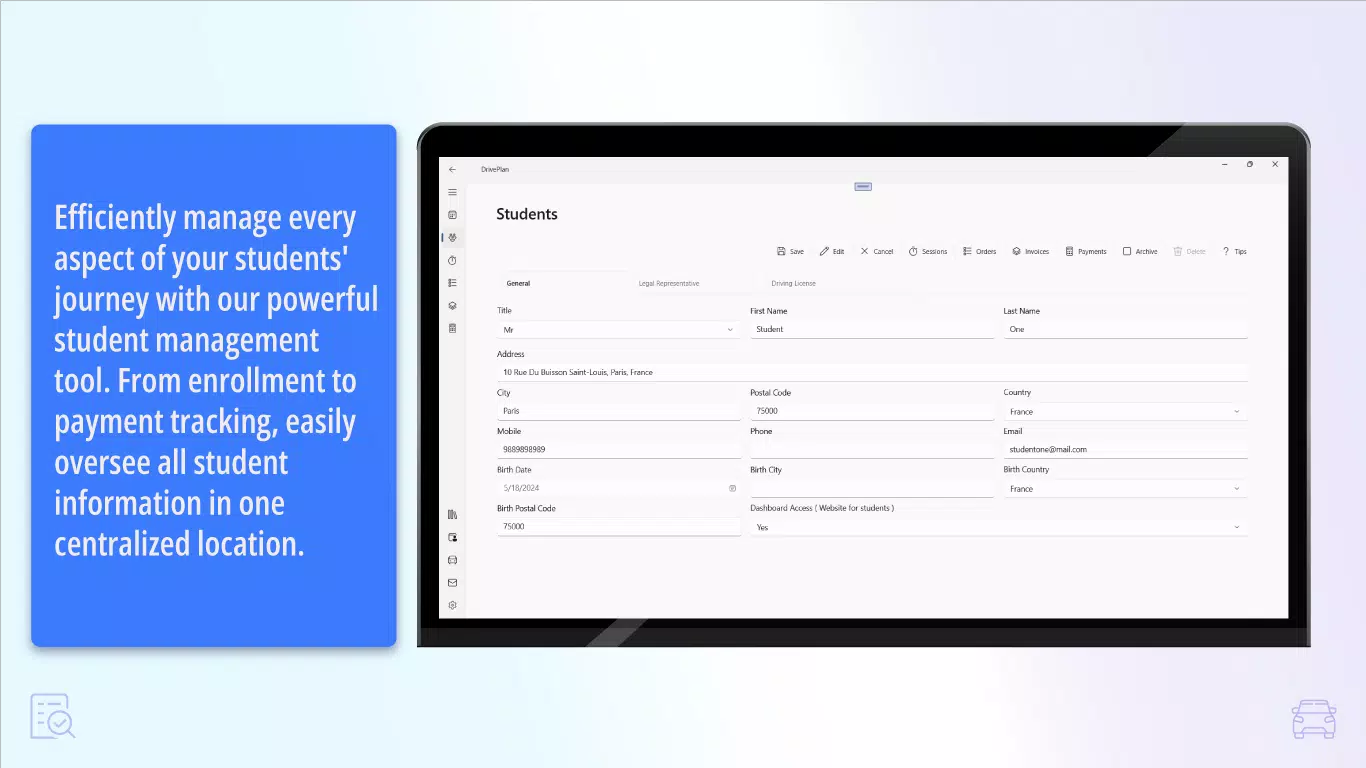
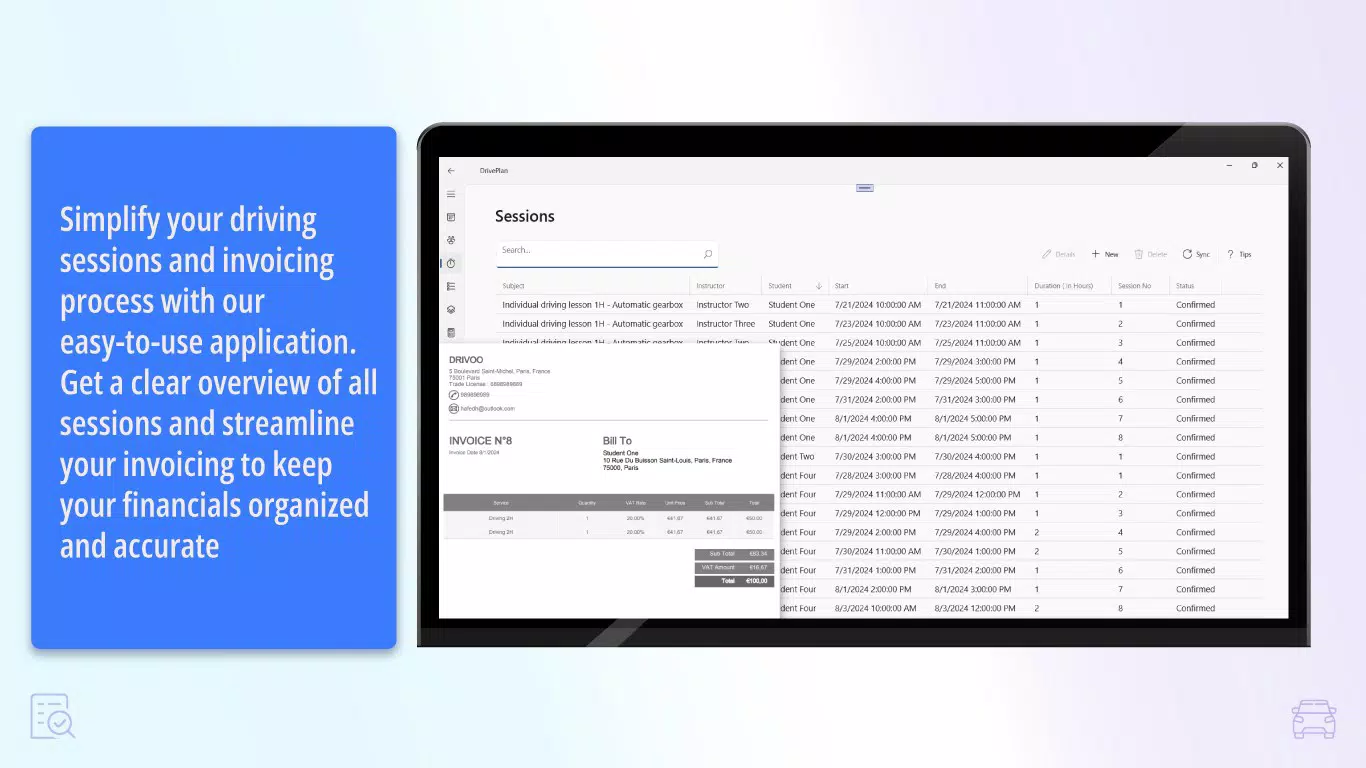
- Centralized Management Dashboard: Administrators can monitor all aspects of the driving school—enrollments, financials, lesson logs, and student progress—from a single interface. This reduces the need to switch between multiple tools and minimizes the risk of data silos.
- Multi-Admin Access: Enables several authorized users to manage the system simultaneously. This feature supports team-based operations, allowing for distributed responsibilities while maintaining data consistency and auditability.
- Mobile Apps for Students and Instructors: Dedicated mobile applications provide on-the-go access to schedules, lesson updates, progress reports, and communication tools. Students can view upcoming lessons and receive reminders, while instructors can log completed sessions and update records in real time.
- Cloud-Based Data Storage: All user data, including personal records, lesson histories, and financial entries, are stored securely in the cloud. This ensures data is protected against local device failures and allows access from any internet-connected device.
- Cross-Platform Synchronization: Changes made on one device—whether a desktop or mobile phone—are instantly reflected across all platforms. This eliminates delays in information sharing and ensures that everyone is working with the most current data.
For example, an instructor can update a student’s progress during a lesson using the mobile app, and the change appears immediately in the administrator’s dashboard. Similarly, a student can check their next lesson time via their phone, even if they are away from the school office. These features collectively reduce manual follow-ups and improve responsiveness in day-to-day operations.
Interface, UX & Performance
The user interface of DrivePlan is designed around clarity and ease of navigation, with a clean layout that prioritizes essential functions. The dashboard presents key metrics and recent activities in a visually intuitive format, minimizing the learning curve for new users. Menus are logically structured, with consistent labeling and predictable navigation paths across both the desktop and mobile versions.
Navigation flows are linear and task-oriented, guiding users through common workflows such as adding a new student, scheduling a lesson, or generating a report. The mobile apps maintain the same design language as the desktop version, ensuring a cohesive experience across devices. Visual cues such as color-coded status indicators and progress bars help users quickly interpret data, such as student completion levels or upcoming deadlines.
Although the developer did not list formal performance metrics, the system’s cloud-based architecture suggests optimized load times and responsive behavior under typical usage conditions. The platform is expected to function smoothly on mid-to-high-end smartphones and desktops, though specific device requirements were not disclosed. Stability is likely supported by automated backups and redundancy measures inherent in cloud infrastructure.
Platform Compatibility & Technical Requirements
DrivePlan is available on both Android and iOS platforms, with dedicated mobile applications for students and instructors. The software is also supported on Windows systems, indicating a multi-platform deployment strategy. The app’s file size is listed as 45.2 MB, which is reasonable for a feature-rich mobile application with integrated cloud sync capabilities.
The developer did not specify minimum OS requirements or version compatibility details. Similarly, no information was provided about required hardware specifications or network bandwidth. Compatibility information was not fully disclosed, so users should verify system readiness before installation. The software version is 1.0.0, indicating a first official release, and the app was released on August 19, 2024.
Pros and Cons
- Centralized dashboard simplifies school management
- Real-time cross-platform synchronization enhances coordination
- Mobile apps improve accessibility for students and instructors
- Secure cloud storage protects sensitive data
- Multi-admin access supports team-based operations
- Specific technical requirements were not listed
- Platform compatibility details are incomplete
- No public information on customer support channels
- First release version may have undiscovered bugs
- Limited visibility into developer background or past projects
FAQ
Is DrivePlan available for both Android and iOS?
Yes, DrivePlan offers mobile applications for both Android and iOS platforms, enabling access for students and instructors on smartphones and tablets.
Can multiple administrators use the system at the same time?
Yes, DrivePlan supports multi-admin access, allowing several authorized users to manage the system simultaneously with real-time data updates.
How is data secured in DrivePlan?
DrivePlan uses secure cloud-based storage to protect user data, including student records, lesson logs, and financial information, ensuring confidentiality and integrity.
Does the app work offline?
While the developer did not specify offline functionality, the system relies on cloud synchronization, suggesting that continuous internet access is required for full functionality.
How often is DrivePlan updated?
The app was released on August 19, 2024, and no information was provided about update frequency. Users should check the app store for future updates.
Final Thoughts
DrivePlan represents a modern, integrated solution tailored to the unique needs of driving schools. Its combination of centralized management, mobile accessibility, and cloud-based security positions it as a valuable tool for institutions aiming to improve operational efficiency. The real-time synchronization and multi-user support make it particularly effective for schools with distributed teams or multiple instructors.
While some technical details remain undisclosed, the core functionality is well-defined and addresses key pain points in driving school administration. For driving schools looking to digitize their operations, reduce manual errors, and enhance communication, DrivePlan offers a compelling value proposition.
Download DrivePlan now


